
Your Guide to the Best SaaS Starter Kit
So, what exactly is a SaaS starter kit?
It’s a pre-built codebase that bundles all the common, must-have features every SaaS needs—things like user sign-ups, login, and subscription billing. This lets you skip the tedious, repetitive setup and jump straight into building the unique features that actually make your product special.
Your Launchpad for a Faster SaaS Build
Building a new SaaS product from the ground up is like a chef deciding to forge their own knives before cooking. It’s an impressive technical challenge, sure, but it’s a huge waste of time when you should be perfecting the meal.
Without a starter kit, you’ll spend weeks, maybe even months, building the exact same foundational features that every single SaaS application on the planet already has.
This is where a starter kit completely changes the game. Think of it as a professional kitchen, fully equipped and ready to go. The ovens are preheated (hosting), the pantry is stocked (database), and the security system is armed (authentication). All you have to do is show up with your unique recipe—your core business idea—and start cooking.
The Modern Competitive Edge
In a market moving this fast, speed is everything. The global SaaS market is projected to hit $390.5 billion in 2025 and nearly double by 2029. With that kind of explosive growth, getting your idea in front of users quickly isn’t just an advantage; it’s a necessity.
This urgency is exactly why a good starter kit has become a non-negotiable tool for smart founders.
A well-chosen starter kit doesn’t just save you time; it enforces best practices from day one, providing a stable, secure, and scalable foundation that would take a solo developer months to build and validate.
Instead of wrestling with OAuth providers or figuring out subscription logic, you can immediately focus on what truly matters:
- Validating your idea with real, paying customers.
- Building the unique features that solve a genuine problem.
- Iterating on feedback to hit product-market fit faster than the competition.
This strategic shortcut lets you bypass the undifferentiated heavy lifting that sinks so many promising projects before they even get off the ground.
Solutions like the SaaS foundation provided by saasbrella are designed to give you this exact head start. By handling the complex infrastructure for you, it empowers you to turn your vision into a live MVP in a fraction of the time, giving you the momentum you need to actually succeed.
What’s Actually Inside a SaaS Starter Kit?
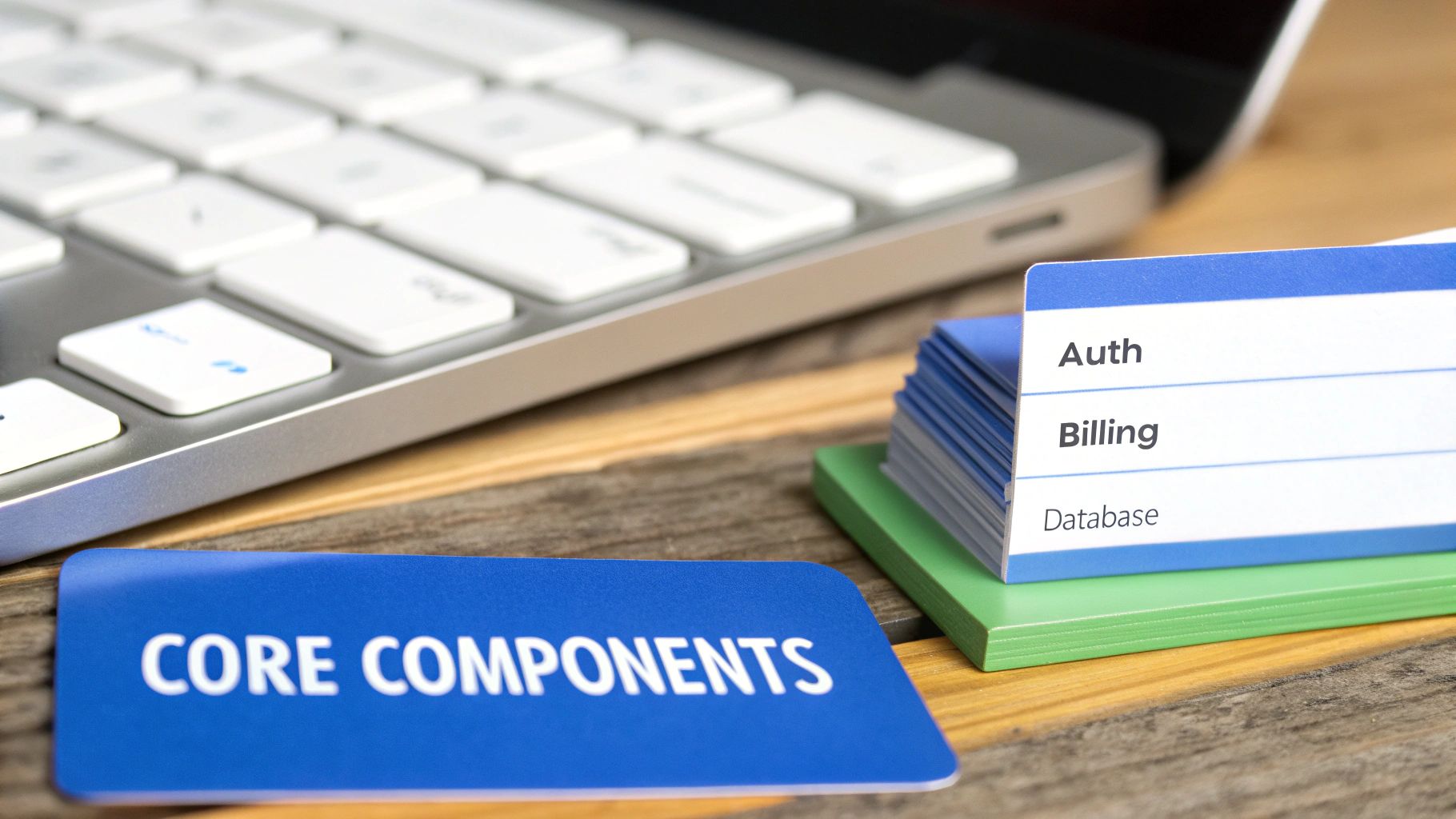
So, what exactly are you getting when you buy a SaaS starter kit? It’s not just a folder of random files. A good kit is a pre-built, battle-tested foundation designed to handle all the boring, repetitive, but absolutely critical parts of a modern software business.
Think of it like building a house. You wouldn’t smelt the iron for the pipes or weave the copper for the electrical wiring yourself. You’d hire pros to lay a solid foundation with plumbing, electricity, and security already installed. A starter kit does the same for your SaaS, letting you focus on the unique architecture and features—the stuff your customers actually care about.
Let’s pull back the curtain and look at the non-negotiable pieces.
User Authentication: The Digital Bouncer
At the very core of any SaaS is authentication. This is your digital bouncer, deciding who gets in, who stays out, and what they can do once they’re inside. Get this wrong, and you have a massive security hole.
A solid starter kit handles the entire auth flow right out of the box, including:
- User Signup: Secure, validated forms for new users.
- Login & Logout: The basics of getting in and out of an account safely.
- Password Resets: An automated, secure way for users to regain access.
- Social Logins: Pre-built buttons for Google, GitHub, etc., making sign-up a one-click affair.
Just this one piece of the puzzle can save a developer 40-60 hours of mind-numbing work, not to mention the constant worry of keeping it patched against the latest threats.
Subscription Billing: The Engine That Makes Money
Unless you’re running a charity, you need to get paid. Slapping a “Buy Now” button on your site is the easy part. The real work is in managing the entire subscription lifecycle, which is where a starter kit’s billing module shines.
It connects to a payment processor like Stripe or Lemon Squeezy and manages everything: creating plans, handling free trials, processing upgrades and downgrades, and dealing with cancellations. It also listens for webhooks—notifications from the payment provider—to keep your app in sync. If a customer’s payment fails, a webhook tells your app to automatically limit their access.
Database and Hosting: The Foundation and Framework
Your app needs a home for its data and a server to run on. A good SaaS starter kit doesn’t just leave you with an empty folder. It comes with a pre-configured database schema, often using a tool like Prisma, with tables for users, teams, and subscriptions already mapped out. This alone saves you from the tedious task of planning your data model from scratch.
Better yet, many modern kits include deployment-ready configurations and CI/CD (Continuous Integration/Continuous Deployment) pipelines. This is basically an automated assembly line for your code. When you push an update, the pipeline automatically tests it and rolls it out to your live server, making releases smooth and predictable.
Multi-Tenancy: The Blueprint for Scale
As you grow, you’ll need to serve hundreds or thousands of customers (or “tenants”) from a single, shared application while keeping their data completely isolated and secure. This architecture is called multi-tenancy.
Think of an apartment building. Every tenant gets their own private, locked apartment (their data), but they all share the building’s core infrastructure like plumbing and electricity (your codebase). That’s multi-tenancy in a nutshell—it’s incredibly efficient.
Getting this right from day one is crucial. A starter kit with multi-tenancy built-in gives you a solid base for team-based SaaS products, saving you from a painful, expensive re-architecture project later on.
And believe me, you’ll need that solid base. As of 2024, the average company uses 106 different SaaS apps. The market is crowded, and users expect a polished, professional experience from the get-go. A starter kit is your shortcut to meeting that expectation. You can explore more SaaS trends and statistics to see just how competitive the field has become.
How to Choose the Right SaaS Starter Kit
Not all starter kits are the same. Picking the wrong one is like pouring a shaky foundation for a house—it might look okay at first, but it will cause you major headaches as you start building and scaling. The right choice comes down to your project’s specific needs, your team’s skills, and your long-term vision.
Making the right call means looking past a flashy feature list. You have to dig deeper and evaluate the core pillars that will support your business for years to come. This guide will walk you through what really matters so you can pick a foundation that actually speeds up your launch, instead of slowing you down.
Evaluate the Technology Stack
First things first: the tech stack. Does it actually line up with what your team knows? A starter kit built with Next.js and TypeScript is a massive boost for a team that lives and breathes React. But for a team skilled in Python or Ruby? It’s a dead end.
Forcing your team to learn a new stack right when you need to be moving at top speed is a recipe for disaster. Instead of focusing on your product’s unique features, you’ll be stuck wrestling with new frameworks and debugging unfamiliar errors.
- Language & Framework: Does the kit use a language (like TypeScript or Python) and a framework (like Next.js or Nuxt) that your team can hit the ground running with?
- Database & ORM: Is the database (like PostgreSQL) and its ORM (like Prisma) a good match for your data model and performance requirements?
- Ecosystem Compatibility: How well does it play with the other tools you plan to use? Think analytics providers, CI/CD pipelines, or any other critical services.
Assess Scalability and Architecture
A good starter kit should be built for your future, not just for launch day. An architecture that works for a dozen users might completely fall apart under the pressure of ten thousand. This is where you need to look at the kit’s bones.
Does it support multi-tenancy right out of the box? This is non-negotiable for most B2B SaaS products where you’ll be managing separate customer organizations. Trying to add this in later is a complex and costly nightmare. A well-designed kit also gives you a clear path for scaling your database and servers as your user base explodes.
Scrutinize Documentation and Community Support
When you inevitably get stuck on something—and you will—where do you turn for help? This is where top-notch documentation and a solid community become your lifeline. Great docs are more than just a dry list of features; they’re a practical guide packed with clear explanations, real-world code examples, and helpful tutorials.
Great documentation is a sign of a well-maintained and thoughtfully constructed project. If the creators couldn’t be bothered to explain how it works, you should question how much effort they put into building it correctly.
The community is just as important. Is there an active Discord server? A GitHub issues page with helpful, timely responses? A forum where you can get answers from people who’ve already solved the problem you’re facing? A vibrant community is an invaluable resource for troubleshooting and learning from others.
Understand the Licensing and Cost Model
Starter kits typically come in two flavors: open-source boilerplates and premium, commercially supported kits. Open-source options are often free to use, but you’re usually on your own for support and keeping things up-to-date. Premium kits cost money upfront but typically offer dedicated support, regular updates, and a much more polished, production-ready foundation.
Before you commit, read the license agreement carefully. An MIT license is super permissive, but others might have restrictions on commercial use that could bite you later. Make sure the license aligns with your business goals to avoid any legal trouble.
This choice directly impacts your costs and the amount of risk you’re willing to take on. Many founders find that paying for a premium kit saves them a ton of development time and maintenance headaches down the road, especially when it includes complex but critical features like robust admin panels and CRUD generators.
With the global SaaS market projected to hit a staggering $1.25 trillion by 2034, starting with a solid, maintainable foundation is non-negotiable. In such a competitive space, the right starter kit is your ticket to capturing market share and building a business that lasts. You can learn more about these SaaS market projections to see just how fast the industry is growing.
SaaS Starter Kit Evaluation Framework
To tie it all together, here’s a simple framework to help you weigh the pros and cons. Think of it as your cheat sheet for comparing your options and making a decision that aligns with your resources, timeline, and goals.
| Decision Factor | Open-Source Kit | Premium Kit | DIY (From Scratch) |
|---|---|---|---|
| Upfront Cost | $0 | $$ - $$$ | $0 (but high dev cost) |
| Time to MVP | Fast | Fastest | Slowest |
| Support | Community-driven (variable) | Dedicated, professional | You’re on your own |
| Maintenance | Self-managed | Often included/managed | 100% on you |
| Core Features | Basic (auth, DB) | Comprehensive (billing, teams) | You build everything |
| Best For | Hobby projects, learning, teams with lots of time | Serious business launches, speed-to-market | Unique requirements, large established teams |
Ultimately, there’s no single “best” answer—only what’s best for your specific situation. Use this framework to have an honest conversation with your team and choose the path that gives your SaaS the strongest possible start.
Your Practical Workflow From Kit to Live MVP
Alright, you’ve picked out the perfect SaaS starter kit. Now for the fun part: turning that folder of code into a real, live Minimum Viable Product (MVP) that customers can actually use. This is where the rubber meets the road. Getting from codebase to a live app isn’t a chaotic sprint; it’s a structured process.
Following a clear workflow means you build methodically, sidestep the common traps, and launch something that feels professional and stable from day one. Think of this as your roadmap from the first git init to your first paying user.
Stage 1: Initial Setup and Configuration
First things first, you need to get the starter kit running on your local machine. This is more than just running npm install. It’s about carefully connecting all the third-party services that will actually power your application.
Here’s what this initial setup phase looks like:
- Version Control: The very first thing you do is initialize a Git repository. I can’t stress this enough. Skipping this is a rookie mistake. Track every single change so you can experiment without fear and roll back if you mess something up.
- Environment Variables: Find the
.env.examplefile, copy it to.env.local, and start plugging in your API keys. This is for essentials like Stripe for payments, SendGrid for emails, and your database connection string. - Database Sync: Run the initial database migration command that came with the kit. This command builds out all the necessary tables for users, teams, and subscriptions based on the kit’s pre-built schema.
You can think of this stage like laying the groundwork for a house. You’re hooking up the electricity, plumbing, and internet to the build site. Nothing else can happen until these fundamentals are in place.
Stage 2: Customizing Core Logic and UI
With the foundation set, it’s time to build your unique features—the “secret sauce” that makes your product special. This is where you inject your ideas into the starter kit’s generic framework. It’s a bit of a balancing act; you want to add your magic without breaking the solid structure you just paid for.
Start small. Pinpoint the absolute core functionality your MVP needs. For example, if you’re building a project management tool, you’ll need to create the database models and API endpoints for “Projects” and “Tasks.” Then, you build the UI components to create, view, and manage them.
A huge pitfall here is over-customizing too early. Fight the urge to rewrite entire chunks of the starter kit. Instead, build on top of the existing architecture. The kit already handles the boring stuff like authentication and billing; your job is to add the features people will actually pay you for.
The infographic below shows the key decision points you should have already considered when picking a kit, which directly impacts how smoothly this customization stage goes.
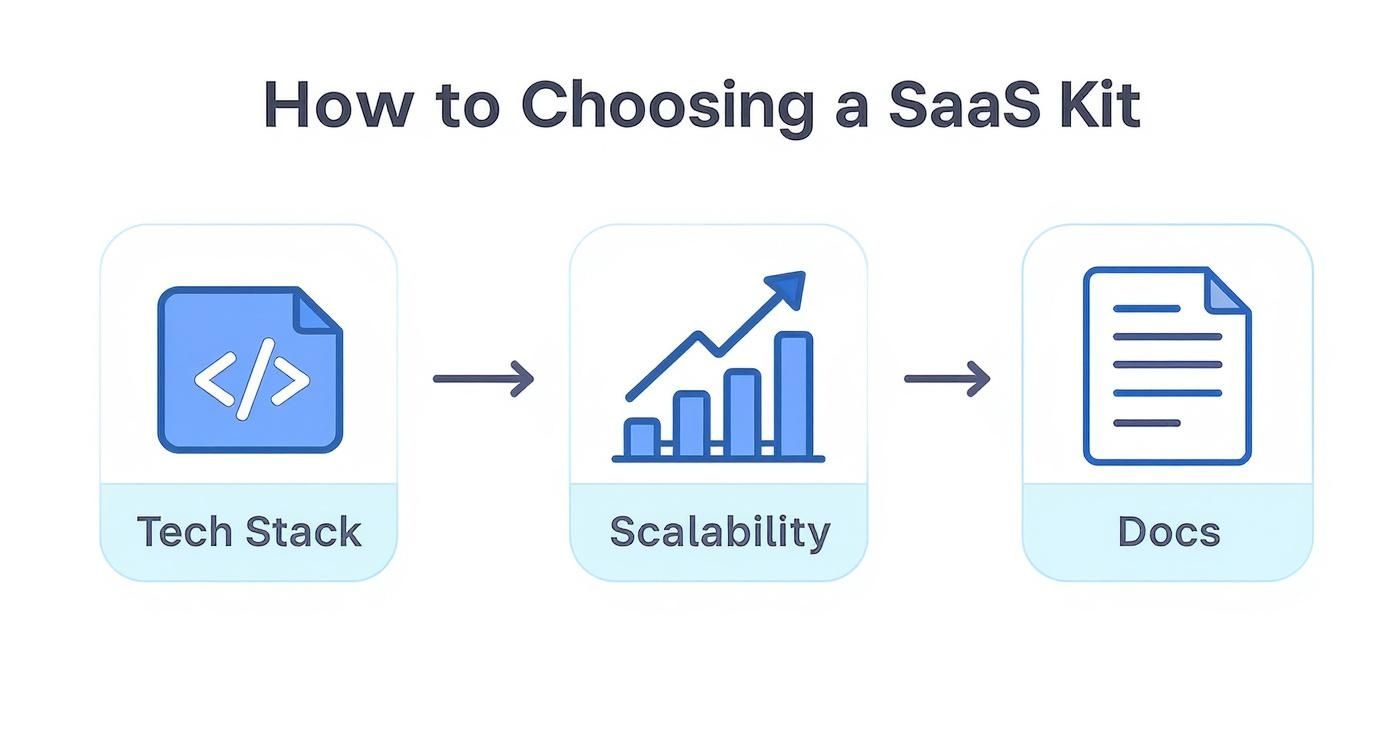
This just reinforces how choosing a kit based on your tech stack, future scale, and documentation quality makes this whole customization process predictable instead of a painful surprise.
Stage 3: Branding and Theming
Now, let’s make it look and feel like it’s yours. Any decent starter kit will have a theming system that makes this pretty straightforward. This isn’t just about splashing some new colors on; you’re building your brand identity.
Focus on these key elements:
- Logo and Favicon: Swap out the default logos in the app layout and on the public marketing pages.
- Color Palette: Dig into the global CSS or theme configuration file and update the primary, secondary, and accent colors to match your brand.
- Typography: Change the default fonts to something that aligns with your brand’s personality.
- Copywriting: Rewrite the marketing copy. The landing page, pricing page, and even the automated emails should all speak in your product’s unique voice.
This step is about more than just looking good. It builds trust and makes your MVP feel like a legitimate, polished product, not some generic template you downloaded.
Stage 4: Final Testing and Deployment
Before you pop the champagne, you have to test everything. And I don’t mean just clicking around on your own computer. You need to run through the entire user journey as if you were a brand-new customer seeing it for the first time.
Your pre-launch checklist absolutely must include:
- User Flow Testing: Can a new user sign up, create an account, and actually use the main feature?
- Billing Integration: Can a user subscribe to a paid plan? Check Stripe’s test mode to confirm the payment goes through.
- Edge Cases: What happens if a user types in a bad email? What if a payment fails? Test these messy, real-world scenarios.
Once you’re confident it all works, it’s go-time. Many modern starter kits, including saasbrella, are built for dead-simple git push deployments. This single command can automate the entire process of building your code, shipping it to a live server, and setting up things like SSL certificates. With a few commands, your MVP is officially live and ready for the world.
How Saasbrella Elevates the Starter Kit
Most SaaS starter kits give you the core building blocks, but their job is usually done right when the real work begins—the messy, everyday challenges you face after you launch. A lot of kits will hand you the keys but leave you to figure out the common (but surprisingly tricky) stuff on your own. This is where having a complete development ecosystem, not just a folder of code, makes all the difference.
We built Saasbrella to bridge those exact gaps. It goes way beyond the standard checklist of auth and billing. We’ve integrated tools that solve the most frequent developer headaches from day one. These aren’t just “nice-to-haves”; they’re massive time-savers that pay dividends over the entire life of your product.
Moving Beyond the Basics
Imagine a customer support ticket lands in your inbox. Instead of a frustrating back-and-forth trying to figure out what the user is seeing, Saasbrella includes simplified user impersonation. Your support team can securely see the app exactly as that user does, slashing resolution times from hours down to minutes.
Or think about rolling out a big new feature. The “all or nothing” launch is a recipe for anxiety. Instead, you can use built-in feature flagging to release it to a tiny group of users first. This controlled rollout lets you gather feedback and squash bugs safely, minimizing risk.
This is the kind of polished, data-rich interface you can build and manage when the heavy lifting is handled for you.

Hitting this level of professionalism and functionality happens so much faster when your foundation is already thinking about your operational needs.
A great starter kit doesn’t just help you build an MVP. It gives you the tools to operate, support, and grow your SaaS efficiently from day one, turning your initial momentum into sustainable growth.
These kinds of thoughtful additions, plus things like a robust theming system for deep brand customization, change the game. A starter kit becomes less of a simple shortcut and more of a true operational partner. The goal isn’t just to launch faster; it’s to build a business that’s more maintainable and ready to scale. To see the full picture, you can explore the comprehensive services offered by saasbrella that cover your product’s entire lifecycle.
Common Questions About SaaS Starter Kits
Picking a SaaS starter kit is a big deal—it’s the foundation you’re building your entire business on. As you look around, you’ll probably run into the same handful of questions that every other founder wrestles with. Let’s tackle them head-on.
We want to clear up any gray areas so you can move forward feeling confident in your choice.
Can I Use a Starter Kit for a Complex Enterprise App?
Yes, but you have to pick the right one. A starter kit isn’t a finished product; it’s a professional-grade foundation. For a serious enterprise app, you need a kit designed from day one with a scalable architecture, multi-tenancy, and solid role-based access controls.
Think of it like building a skyscraper. A great starter kit gives you the high-strength steel frame and reinforced concrete slab. You still have to design the custom floors, wire the complex internal systems, and create the unique facade. The kit just saves you from having to forge the steel beams yourself, letting you focus on the architecture your enterprise clients are actually paying for.
How Much Technical Skill Is Required?
This really depends on the kit. Some are built for beginners, others for senior engineers. As a general rule, you’ll need a solid grip on the kit’s tech stack. If it’s built on Next.js, TypeScript, and PostgreSQL, you should be comfortable with those tools.
You should be able to:
- Run a local development server.
- Work with APIs and handle environment variables.
- Use Git for version control.
A starter kit gives you a massive head start by handling the boilerplate, but you’re still the one driving. You’ll be the one extending, customizing, and maintaining the code. It speeds you up; it doesn’t replace you.
Tech-Specific vs. Language-Agnostic Kits
This choice boils down to your team’s skills and what your project demands. A tech-specific kit (like one for Next.js) gives you incredibly deep integration and a silky-smooth developer experience. Everything is optimized to work together perfectly, which is a huge win.
Language-agnostic kits offer flexibility, but you’ll often spend more time getting all the different services to play nicely. For most teams, a tech-specific starter kit is the more practical choice. You get a cohesive foundation that just works, with a lot less setup drama.
What Happens If a Starter Kit Is No Longer Maintained?
This is a great question and a totally valid fear. If a starter kit gets abandoned, the updates stop coming. No more security patches, no more bug fixes. You’ve just inherited the entire codebase, and now you’re on the hook for all future maintenance.
This is a key reason why many founders opt for commercially supported kits. Paying for a product creates an incentive for the creators to provide ongoing maintenance and support, reducing your long-term risk.
Before you commit, do your homework. Check the project’s GitHub activity, see how often it’s updated, and gauge how responsive the community or support channels are.
Ready to skip the boilerplate and launch a secure, scalable SaaS application in minutes? saasbrella provides a production-grade foundation with everything you need pre-configured, from billing and auth to hosting and AI-ready development workflows. Start your 14-day free trial today!