what is devops automation: A Practical Guide to Faster Software Delivery
At its core, DevOps automation is all about using technology to handle the repetitive, manual tasks involved in software development and IT operations. Think of it as creating a self-driving assembly line for your software. It replaces the slow, error-prone manual work with automated workflows to build, test, and release your app faster and with far more reliability.
From Manual Labor To Automated Flow

Imagine trying to build a modern car entirely by hand. Every screw turned, every panel welded, every wire connected manually. The process would be painfully slow, inconsistent, and riddled with human error.
Now, picture a robotic factory where an automated assembly line handles all those repetitive jobs with incredible precision and speed. That factory doesn’t just work faster; it churns out a higher quality, more consistent product every single time. This is the exact shift DevOps automation brings to software.
It’s the jump from tedious, manual software delivery to an efficient, automated pipeline. Instead of developers manually kicking off tests or operations teams painstakingly configuring servers by hand, scripts and specialized tools do the heavy lifting. This frees up your team to focus on what they do best: solving tough problems and building innovative features.
To see what this looks like in the real world, let’s compare the old way with the new.
From Manual Labor To Automated Flow
| Development Stage | Traditional Manual Task | DevOps Automated Approach |
|---|---|---|
| Code Integration | Developers merge code and fix conflicts by hand, hoping nothing breaks. | Continuous Integration (CI) automatically merges, builds, and tests code changes from all developers. |
| Testing | QA teams manually run test scripts after a feature is “done,” often days later. | Automated testing runs instantly with every code change, catching bugs in minutes. |
| Infrastructure Setup | An Ops team manually provisions servers, databases, and networks—a process that can take days or weeks. | Infrastructure as Code (IaC) scripts define and create the entire environment automatically and consistently. |
| Application Deployment | A coordinated, high-stress “deployment day” where teams manually push code to production servers. | Continuous Deployment (CD) pipelines automatically deploy validated code to production without human intervention. |
| Server Configuration | Sysadmins log into servers one-by-one to update settings or install software. | Configuration Management tools apply desired states across all servers, ensuring consistency. |
This table isn’t just a list of tasks; it represents a fundamental change in mindset and efficiency, turning high-risk, slow processes into low-risk, fast-moving workflows.
The Driving Force Behind Automation
This transformation isn’t just a fleeting trend; it’s a fundamental change in how modern software gets built and maintained. The relentless demand for faster delivery cycles and better operational efficiency is pushing businesses everywhere to adopt these practices. You can see this momentum in the market’s explosive expansion.
The global market for DevOps automation tools is projected to soar from USD 14.44 billion in 2025 to USD 72.81 billion by 2032, growing at a remarkable 26.0% CAGR. This growth highlights the critical role automation plays in staying competitive.
This incredible growth is fueled by companies moving to the cloud and realizing that automation is the key to survival and success. You can dive deeper into the numbers in the full market analysis from Coherent Market Insights.
How Automation Changes the Game
So, what does this “digital factory” actually do? It streamlines the entire software development lifecycle by knitting together previously isolated stages. When a developer pushes new code, automation immediately kicks in to:
- Build the software from the latest code changes automatically.
- Run a whole suite of tests to hunt for bugs and ensure everything still works.
- Deploy the code to various environments, from testing to staging to production.
- Configure the infrastructure needed to run the application, spinning up servers and databases as needed.
This systematic approach empowers teams to release updates with speed and confidence, turning the software delivery process from a major source of friction into a genuine strategic advantage.
The Core Components of DevOps Automation
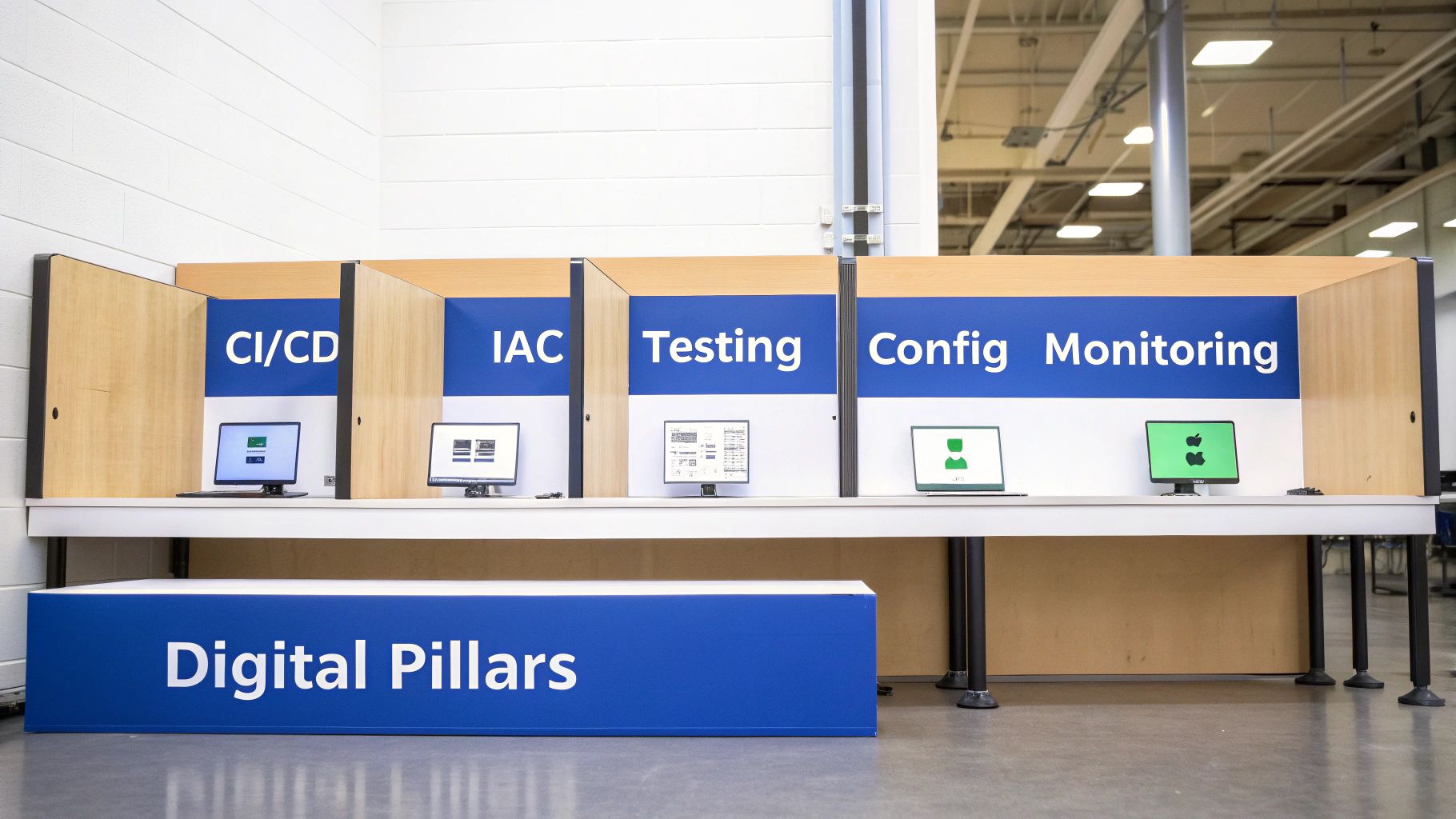
So, how does this whole “digital assembly line” actually work? DevOps automation isn’t one magical tool. It’s a combination of five interconnected pillars, each one handling a critical piece of the software delivery process.
Think of them as specialized stations on a factory floor. Each one performs its job with precision and speed, then hands off the work to the next station without anyone needing to step in. Let’s pull back the curtain on each of these core components.
Continuous Integration and Continuous Delivery (CI/CD)
The CI/CD pipeline is the central conveyor belt of your software factory. It’s the engine that moves code from a developer’s laptop all the way to your customers, automating every step along the way.
-
Continuous Integration (CI): This is all about developers frequently merging their code changes into a central repository. Every time someone pushes an update, an automated build and test sequence kicks off. This catches integration bugs early, before they spiral into massive headaches.
-
Continuous Delivery/Deployment (CD): Once the code passes all the automated checks, this part of the pipeline takes over. It automatically packages the update and pushes it out to production, making new feature releases a routine, drama-free event. Nailing this process is fundamental to using release management and deployment tools effectively.
Infrastructure as Code (IaC)
Imagine having a master blueprint that could spin up an exact copy of your entire server environment—every server, database, and network rule—in minutes. That’s the power of Infrastructure as Code (IaC).
Instead of manually clicking around in a cloud console, IaC uses simple definition files (the “code”) to provision and manage your infrastructure. This means your environments are reproducible, scalable, and can be version-controlled right alongside your application code. No more “configuration drift” or mystery settings.
Automated Testing
On our software factory floor, automated testing is the team of tireless quality assurance inspectors checking every single part at every stage. These are scripts that run a whole battery of tests—from tiny unit tests on a single function to large-scale integration tests—every time a developer commits a change.
This creates an immediate feedback loop. Developers find out about bugs almost instantly, not weeks later during a manual QA phase.
By building automated testing directly into the CI/CD pipeline, teams can ship code with confidence. It ensures high quality without ever slowing down the pace of delivery.
Configuration Management
While IaC sets up the initial infrastructure, Configuration Management makes sure every server and system stays in its correct state over time. It automates things like installing software, tweaking system settings, and rolling out security patches across your entire fleet.
This guarantees consistency. Whether you have ten servers or ten thousand, configuration management tools make sure each one is a perfect clone. That “it works on my machine” problem? Gone for good.
The value here isn’t just theoretical; it’s driving massive market growth. The DevOps market was valued at USD 13.16 billion in 2024 and is on track to hit an incredible USD 81.14 billion by 2033. This explosion is fueled by businesses automating their workflows to get software out the door faster and more reliably. You can dig into more of the numbers behind this DevOps market growth on imarcgroup.com.
Why Automation Is a Game Changer for Business
Adopting DevOps automation isn’t just a tech upgrade; it’s a fundamental business decision that pays real dividends. It changes how your company operates, directly hitting your bottom line, making customers happier, and giving you an edge over the competition. This isn’t just about keeping developers happy—it’s about building a tougher, more innovative business.
The first thing you’ll notice is a massive speed boost. Automation turns long, manual checklists into processes that run in minutes. This means you can ship new features and fixes to your customers faster than ever before. That accelerated time-to-market is a huge competitive advantage, letting you pivot and respond to what the market wants, right now.
Ship Faster and More Reliably
But moving faster doesn’t mean breaking things. In fact, automation dramatically improves quality. By running a whole battery of tests on every single code change, your automated pipelines become relentless gatekeepers. They catch bugs and potential headaches almost instantly, long before they can ever frustrate a user.
The result is a more stable, reliable product. You’ll have fewer outages, fewer late-night emergencies, and way less stress around deployments. Instead of having big, risky “launch days,” releasing software becomes a boring, low-drama routine.
Empower Your Team to Innovate
One of the biggest, but often overlooked, benefits of DevOps automation is what it does for your people. When you free up your highly skilled developers from mind-numbing, repetitive work like manual testing and server tweaks, you unlock their real value.
Instead of being bogged down in operational grunt work, they can spend their brainpower solving tough problems and building the next killer feature. This is huge for morale, helps prevent burnout, and builds a culture of innovation where your best people are focused on pushing the business forward.
The numbers tell a pretty clear story here. Global adoption for DevOps automation is pushing 80%, a clear sign of how essential it’s become. Companies that get it right are seeing incredible results, like cutting deployment times by up to 50% and seeing a jaw-dropping 90% improvement in lead time for changes. You can dig into more of these stats and DevOps adoption trends at DevOpsBay.com.
By automating the entire software delivery lifecycle, businesses can deploy code up to 46 times more frequently than their counterparts using traditional methods. This isn’t just a small step up; it’s a completely different way of operating.
Ultimately, jumping into automation lets your business move faster, build better products, and create a more engaged and forward-thinking engineering team. It’s the engine that powers modern, high-performing companies, turning software delivery from a bottleneck into a core strategic strength.
Visualizing an Automated Software Pipeline
Theory is one thing, but let’s see how this works in the real world. To really get what DevOps automation is all about, we’ll follow a single line of code as it travels from a developer’s keyboard all the way to a live production server.
Imagine a developer working on a SaaS app. She just finished a tiny update—maybe changing a button’s color. She saves her work and pushes the changes to the team’s central code repository, like GitHub.
The second her code hits the repository, a webhook fires off. This is the starting pistol. It instantly tells the CI/CD server that a change is ready, kicking off the entire automated pipeline. No one has to press a button or send an email. The factory is officially up and running.
The Automated Gauntlet Begins
First, the Continuous Integration (CI) server grabs her new code and merges it with the latest updates from the rest of the team. It then runs an automated build, compiling the entire application to make sure there are no syntax errors or nasty conflicts.
Right after a successful build, the code enters a gauntlet of automated tests. This isn’t just one test; it’s a whole series designed to catch problems early.
- Unit Tests: These are microscopic checks on the developer’s new code in isolation, confirming it does exactly what she intended.
- Integration Tests: Next, the pipeline makes sure her new code plays nicely with all the other parts of the application. No stepping on anyone’s toes.
- End-to-End Tests: Finally, automated scripts pretend to be real users, clicking through the app to ensure the entire customer experience is still seamless from start to finish.
If a single test fails—even one—the pipeline stops dead and immediately notifies the developer. This instant feedback loop means bugs are caught and squashed in minutes, not weeks.
From Code to Customer
Once the code has passed every single test, the pipeline packages the application into a lightweight, portable container. Think of this container as a standardized shipping box that holds the code and all its dependencies, guaranteeing it will run the same way everywhere. This container is then automatically deployed to a “staging” environment, which is a perfect clone of the live production environment.
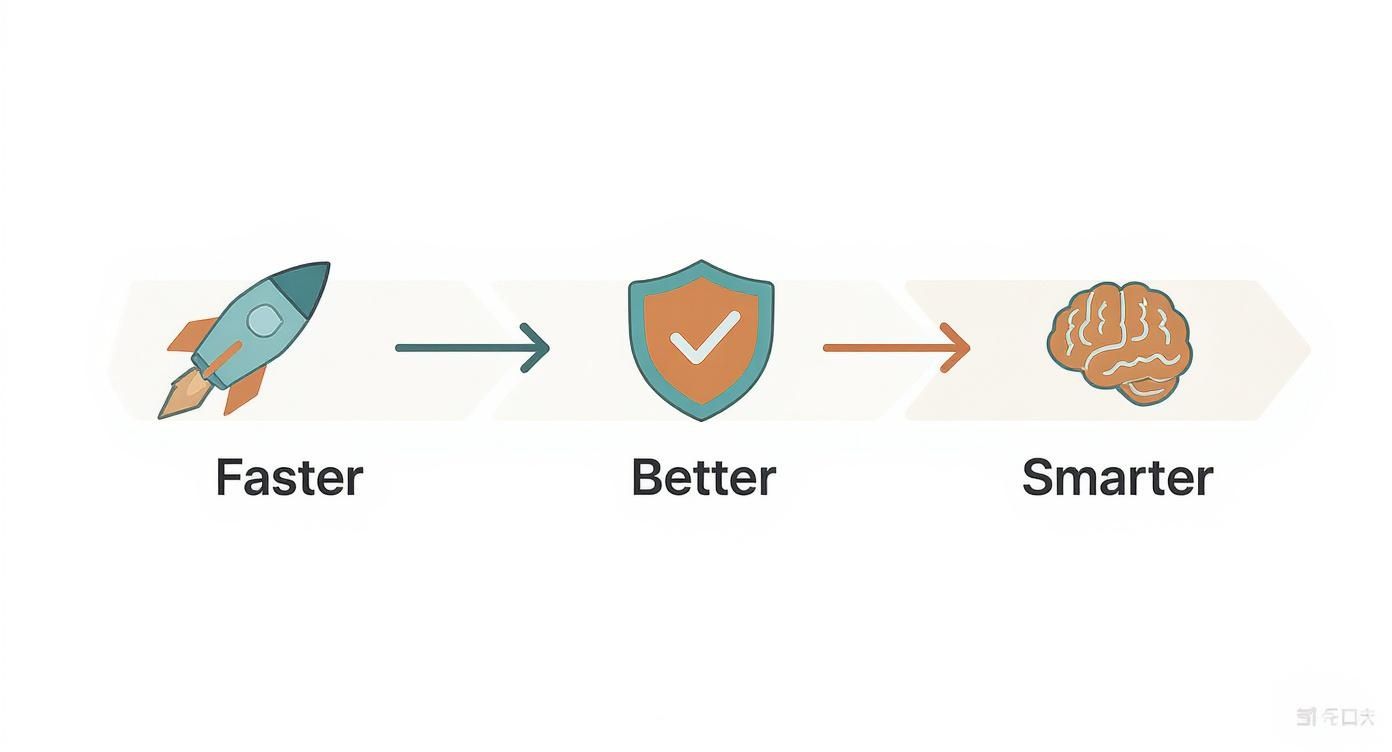
This is where you see the real business impact. The whole process is designed to make you faster, improve quality, and help you operate smarter.
With everything validated, the pipeline moves to the final step: a safe production rollout. Instead of a risky “big bang” deployment where everything changes at once, it might use a blue-green strategy. This means it directs a tiny fraction of user traffic, say 5%, to the new version while monitoring everything closely.
If all the dashboards look good and no alarms go off, traffic is seamlessly shifted over until 100% of users are on the new version. The entire journey, from a single code commit to a live deployment, happens automatically, consistently, and safely. Every single time.
Modern platforms rely on events and webhooks to trigger these sophisticated workflows. You can dive deeper into these patterns by exploring advanced webhook management and event routing to see just how powerful these triggers can become.
Common Automation Mistakes to Avoid
Jumping into DevOps automation is exciting, but the road is paved with common pitfalls that can easily derail your progress. Getting this right is about more than just plugging in new software. It takes a deliberate approach to your people, processes, and tech to sidestep the most common—and costly—errors.
One of the biggest mistakes we see is focusing on tools over culture. Teams get hyped about a flashy new CI/CD platform but fail to change the underlying workflows or communication patterns that caused problems in the first place. Automation is a cultural shift. If developers and operations teams still work in silos, even the best toolchain will just automate existing friction.
Another classic error is automating a broken process. If your manual deployment is a chaotic mess, automating it just helps you create a mess faster. The key is to fix and simplify the workflow first. Then you lock in that efficiency with automation. This way, you’re building on a foundation of quality, not just speed.
Keeping Your Toolchain Lean and Secure
It’s easy to get carried away and build a complex, bloated toolchain. Many teams end up with a tangled web of specialized tools that quickly becomes a maintenance nightmare. Instead of adding a tool for every micro-task, focus on a lean, integrated set of solutions that covers the core software development lifecycle. A simpler toolchain is far easier to manage, secure, and scale.
A critical—and dangerous—mistake is treating security as an afterthought. In the rush to ship faster, security checks are often seen as roadblocks. They get pushed to the end of the pipeline or, worse, skipped entirely. This is a recipe for disaster.
True DevOps automation integrates security from the very beginning, a practice known as DevSecOps. Automated security scans for vulnerabilities, compliance checks, and code analysis should be built directly into your CI/CD pipeline. This makes security a shared responsibility and an automated checkpoint, not a final gatekeeper that slows everything down.
By avoiding these common traps, you can build a robust, secure, and genuinely effective automation strategy that delivers real value for the long haul.
Accelerating Your Automation Journey
Building a solid DevOps practice from the ground up is a monumental task. It’s especially tough for startups and small teams who can’t afford to hire a dedicated infrastructure engineer.
The old-school way involves a painful cycle of research, trial, and error. You end up stitching together dozens of different tools for CI/CD, infrastructure, monitoring, and security. This Franken-stack is not only complex and brittle but also requires constant maintenance and specialized expertise. It’s a massive distraction from what you should be doing: building a great product.
The Shift to Unified Platforms
Thankfully, a newer approach is changing the game. Instead of juggling a fragmented toolchain, teams are now moving to single, unified platforms. Forget wrestling with infrastructure configuration—these solutions provide production-ready pipelines and pre-configured environments straight out of the box.
This completely flattens the learning curve and shaves months off the setup time.
This shift means developers can get all the benefits of world-class automation without having to become DevOps experts. It’s about focusing on shipping features, not fighting with infrastructure.
Platforms built on this idea handle all the heavy lifting. They let you go from a raw idea to a secure, scalable application in a fraction of the time. For example, using a complete SaaS boilerplate gives you this exact advantage, turning a complex DevOps nightmare into a simple git push deployment.
Your team can start delivering value to customers from day one.
Still Have Questions?
When teams first dip their toes into DevOps automation, a few common questions always seem to surface. Let’s tackle them head-on to clear up any confusion.
How Is DevOps Different From Agile?
This one comes up a lot. While they’re often used together, Agile and DevOps solve completely different problems.
Think of it this way: Agile is a project management philosophy. It’s all about how you plan and build software—using short sprints, gathering feedback, and adapting to change. It organizes the creative process.
DevOps automation, on the other hand, is about how you deliver that software. It’s the technical assembly line—the CI/CD pipelines, automated tests, and infrastructure—that gets the code from a developer’s machine into the hands of users, safely and quickly.
Agile designs the car; DevOps builds the factory that manufactures it at scale.
Agile organizes the what and when of development work. DevOps automation handles the how of the technical delivery process.
Can Small Startups Realistically Implement This?
Absolutely. In fact, they probably need it more than anyone. For a small team, every hour spent manually deploying code or wrestling with server configurations is an hour you’re not building your product. That’s a trade-off you can’t afford to make.
The good news is that this isn’t some massive, expensive undertaking anymore. You don’t need a dedicated DevOps engineer from day one.
Modern tools and platforms have brought world-class automation within reach for everyone. Startups can now use pre-built pipelines and managed infrastructure to get all the benefits of automation from the get-go. This lets a tiny team move with the speed and reliability of a much larger company.
Is Automation Only for Cloud Applications?
Not at all. While the two are tightly linked, especially with cloud-native development, the core ideas of DevOps automation work anywhere—on-premises data centers, hybrid setups, you name it.
The goal is always the same: automate the build, test, and release cycle, no matter where the software actually runs. The same CI/CD and configuration management tools that manage cloud servers can do the exact same job for a server rack sitting in your office.
Ready to stop wrestling with infrastructure and start shipping features? saasbrella provides a production-ready foundation with git-push deployments, hosting, and security built-in, letting you focus on your product, not your pipeline. Launch your SaaS in minutes.
Ready to build?
Get Started for Free. Build on a production-ready foundation with authentication, database, and deployment already configured.
No credit card required. Cancel anytime.