How to Build a SaaS Application from Scratch
Before you even think about tech stacks or architecture, the most critical step is making sure your idea actually has legs. It all starts with a simple, focused process: validate a real market problem, find a niche audience that’s willing to pay for your solution, and then map out the core features for a Minimum Viable Product (MVP).
Getting this foundation right is what separates the SaaS products that succeed from the ones that quietly fade away. This is your insurance against building something nobody needs.
From Idea Validation to Your First Roadmap
Too many founders fall in love with their solution before they truly understand the problem. The real work—and the secret to success—is stepping away from the keyboard and answering one fundamental question: Are you solving a painful, persistent, and valuable problem for a specific group of people?
This isn’t about looking for people to agree with you. It’s a disciplined search for the truth, which often means hearing feedback that challenges your assumptions. A brilliant idea on paper can fall apart fast when it hits the reality of user needs.
Pinpoint a Genuine Market Pain Point
The strongest SaaS products don’t invent new needs; they solve existing frustrations better than anyone else. Your first job is to become an expert in that pain point. Get out there and talk to your potential customers.
What are the tell-tale signs of a real problem worth solving? Look for:
- Messy Workarounds: Are people using clunky spreadsheets, a weird mix of different tools, or manual copy-paste jobs to get something done? That’s a massive signal that current solutions just aren’t cutting it.
- Wasted Time: Does a specific task eat up an insane amount of time or mental energy? People will gladly pay for solutions that give them back their time.
- Costly Errors: Are there common, expensive mistakes that happen because of bad processes? A tool that prevents those mistakes has a crystal-clear return on investment.
This research phase is all about listening. You can explore a variety of customer interview research tools to help structure these conversations and pull out actionable insights.
The journey from validation to a concrete plan should follow a clear, logical flow.
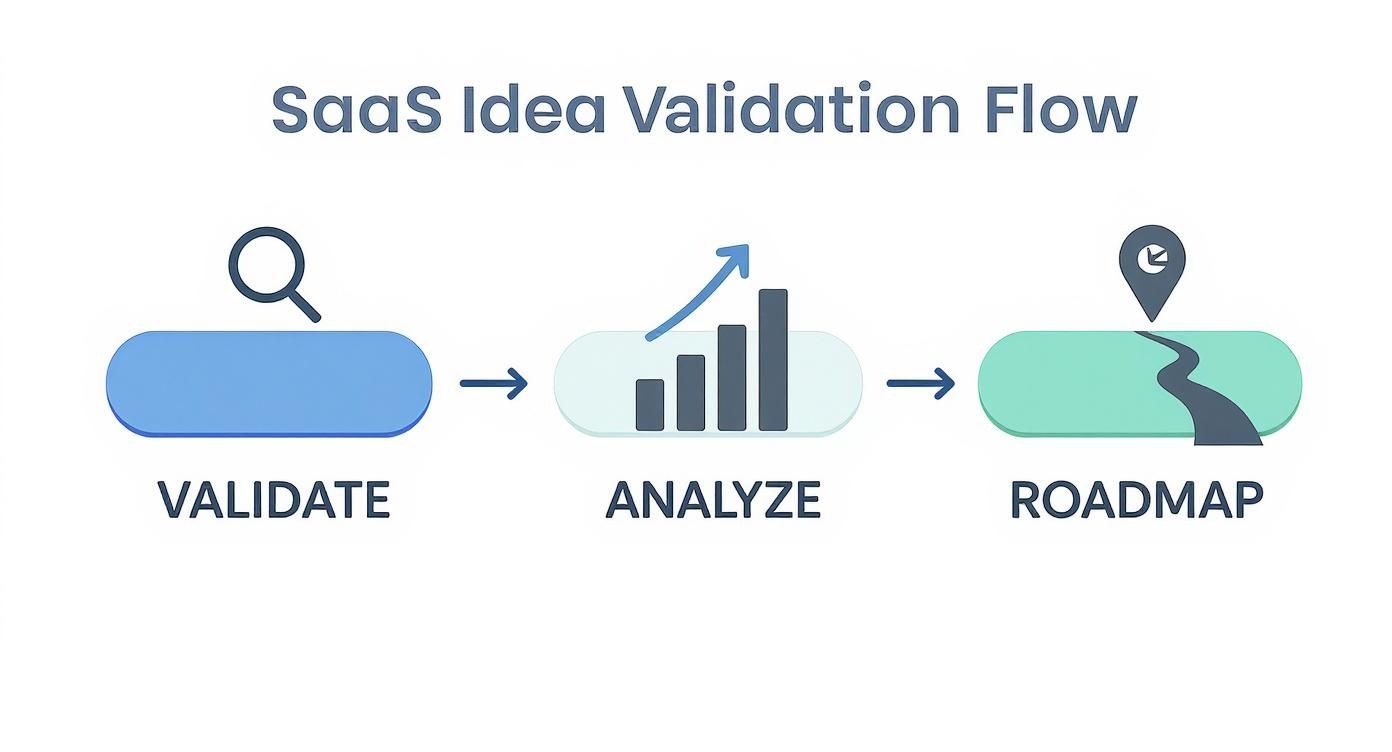
Notice how the roadmap is the final output of careful validation and analysis, not the starting point.
Create a Lean MVP and Product Roadmap
Once you’ve confirmed the problem is real and you know who you’re building for, you can start defining the solution. The goal here isn’t to build your dream product right away. It’s to create a Minimum Viable Product (MVP)—the smallest, simplest version of your product that can solve that core problem for your first users.
This requires ruthless prioritization. For every feature idea, you have to ask: does this directly solve the core pain point we validated? It’s tempting to add all the “nice-to-have” features, but that just bloats the product and delays your launch.
This simple framework can help you decide what makes the cut.
MVP Feature Prioritization Framework
This table provides a simple framework to help you prioritize features for your Minimum Viable Product (MVP) based on customer impact and implementation effort.
| Feature Idea | Core Problem It Solves | Estimated Customer Impact (High/Medium/Low) | Estimated Effort (High/Medium/Low) | Include in MVP? (Yes/No) |
|---|---|---|---|---|
| e.g., User Authentication | ”Customers need to securely access their private data.” | High | Medium | Yes |
| e.g., Data Dashboard | ”Users need to see a quick overview of key metrics.” | High | High | Yes |
| e.g., PDF Export | ”Some users want to share reports offline.” | Medium | Medium | No |
| e.g., Dark Mode | ”It’s a popular design trend and reduces eye strain.” | Low | Low | No |
By forcing yourself to evaluate each feature through this lens, you can build a lean, focused MVP that delivers value from day one.
Key Takeaway: Your initial product roadmap should be short and sharp. Prioritize the features that deliver immediate value to your target user and shelve everything else for later. The goal is to get a working product into the hands of real people as quickly as possible to start learning.
Getting this planning phase right is critical. The global SaaS market is projected to hit a staggering $1.25 trillion by 2034, growing at an annual rate of 13.32%. This incredible opportunity attracts a ton of competition, making a well-validated, problem-focused approach your best bet for standing out and carving out your own piece of the pie. A disciplined validation process ensures you enter this booming market with a solution that’s actually built for success.
Choosing Your SaaS Architecture and Tech Stack
Alright, you’ve validated your idea. Now comes the hard part—making foundational decisions that will either accelerate your launch or bog you down in technical debt for years.
Picking the right architecture and tech stack isn’t about chasing the latest trends on Hacker News. It’s a pragmatic choice that directly impacts how fast you can build, how easily you can scale, and how much it’s going to cost to keep the lights on.
A smart choice feels like a tailwind, pushing you forward. A bad one feels like trying to run through mud. Our goal here is to set you up with a solid foundation that gets your MVP out the door fast but doesn’t paint you into a corner later on.
Monolithic vs. Microservices Architecture
One of the first forks in the road is deciding between a monolith and a microservices architecture. This is a classic debate, and for an early-stage SaaS, the answer is usually simpler than you think.
A monolith is just what it sounds like: one big, unified application. The user interface, business logic, and database layer are all bundled together in a single codebase. It might not sound sexy, but for most MVPs, it’s the right call. Development is simpler, testing is more straightforward, and getting it deployed is a hell of a lot faster.
Microservices, on the other hand, break the application into a swarm of small, independent services. Each one handles a specific job—like user auth or billing—and they talk to each other over APIs. It’s incredibly powerful for massive companies like Netflix or Amazon, but it introduces a ton of operational complexity that will absolutely kill an MVP’s momentum.
Our Recommendation: Start with a well-structured monolith. Seriously. The speed and simplicity are your biggest assets when you’re racing to find product-market fit. You can always peel off services later when—and only when—the complexity and scale actually justify it.
Comparing SaaS Architectural Approaches
Here’s a quick breakdown to help visualize the trade-offs between starting with a monolith versus jumping straight into microservices.
| Attribute | Monolithic Architecture | Microservices Architecture |
|---|---|---|
| Development Speed | Fast. A single codebase and simplified tooling mean you can build and iterate quickly. Perfect for an MVP. | Slow. Requires setting up inter-service communication, separate deployments, and complex local dev environments. |
| Deployment | Simple. You deploy one application. Rollbacks are straightforward. | Complex. Requires orchestrating multiple service deployments. A single failed service can cause cascading issues. |
| Scalability | Scales vertically. You scale the entire application, which can be inefficient if only one part is a bottleneck. | Scales horizontally. You can scale individual services independently, which is highly efficient and cost-effective. |
| Complexity | Low initial complexity. Easy to reason about and get started. Complexity grows as the codebase gets larger. | High initial complexity. Significant upfront investment in infrastructure, monitoring, and DevOps. |
| Team Structure | A single team can manage the entire codebase effectively. | Encourages small, autonomous teams, but requires strong coordination and communication protocols. |
For a founder focused on shipping an MVP, the monolith’s advantages in speed and simplicity are undeniable. Keep it simple until simple no longer works.
Selecting a Practical Tech Stack
Your tech stack is your toolkit: the languages, frameworks, and databases you’ll use to actually build this thing. There is no “best” stack, only the one that’s best for your team and your product.
A few battle-tested combinations you can’t go wrong with include:
- PERN Stack: PostgreSQL, Express, React, and Node.js. A full-stack JavaScript ecosystem that’s incredibly popular and great for modern, interactive apps.
- Laravel & Vue.js: The PHP framework Laravel paired with Vue.js is a dream for developer productivity, known for its elegant syntax and batteries-included approach.
- Ruby on Rails: A classic for a reason. Rails’ convention-over-configuration philosophy lets you build features at a blistering pace.
The golden rule? Prioritize familiarity and community support over hype. A stack your team already knows inside and out will get you to launch faster than learning some shiny new thing from scratch. The SaaS model itself is proven—over 80% of businesses use at least one SaaS tool. Focus on execution, not on reinventing your entire development process.
The Power of a SaaS Boilerplate
Let’s be blunt: building user authentication, subscription billing, team management, and secure file uploads from the ground up is a waste of your time. It’s slow, expensive, and you’ll probably mess up the security on your first try.
This is where a SaaS boilerplate or starter kit becomes your secret weapon.
Using a pre-built foundation like saasbrella lets you skip months of building the same commodity features every single SaaS needs. Instead of fighting with Stripe’s API or implementing 2FA, you get a production-ready stack with all of that handled.
This frees you up to pour all your energy into the unique features that actually solve your customer’s problem—the reason you started this in the first place.
For instance, instead of hand-rolling every single admin panel feature, you can lean on pre-built tooling. A good starter kit often includes things like admin panel and CRUD generators that turn hours of tedious backend work into a few clicks. It’s the ultimate shortcut for getting your MVP to market faster and with way more confidence.
Developing Core Features Users Expect
Alright, you’ve got your architecture mapped out. Now we switch gears from the “how” to the “what.” Every single SaaS app, no matter how niche, has a set of core features that users just assume will be there. These aren’t your unique selling points; they are the absolute table stakes.
Nailing these foundational pieces builds trust right away and gives your app a professional feel from the moment a user signs up. If you drop the ball here, your product feels amateur and insecure, even if your main feature is brilliant. Let’s dig into what it takes to implement these must-haves.
Secure User Authentication and Authorization
The first handshake a user has with your app is signing up and logging in. This is your one shot to make a good first impression on trust, and it’s a big one. A clunky or insecure auth system is a massive red flag that will send potential customers running.
Your mission is to make getting in seamless and secure. That means giving users a few ways to sign up while making sure their accounts are locked down.
Here’s what a modern auth system needs:
- Email & Password Login: The classic. Just make sure you’re properly hashing passwords with something strong like Argon2 or bcrypt. Never, ever store passwords in plain text.
- Social Logins (OAuth): Letting people sign up with Google or GitHub is a huge win. It cuts down on friction, saves them from remembering another password, and can seriously boost your conversion rates.
- Two-Factor Authentication (2FA): This isn’t optional anymore. Offering 2FA through an authenticator app (TOTP) or email is a standard security feature, especially in B2B, where customers are actively looking for it.
- Role-Based Access Control (RBAC): Even in an early MVP, think about roles. You’ll need an
adminfor yourself and auserormemberfor customers. This lets you gatekeep who can see and do what in the app.
Building all this from scratch is a huge amount of work and very easy to get wrong. This is another spot where a pre-built foundation like saasbrella saves the day, since it ships with secure, production-grade authentication and RBAC already baked in.
Integrating Subscription Billing and Payments
Unless you’re running a charity, you need a bulletproof way to take money and manage subscriptions. This is the heart of your business, and it has to work perfectly from day one. Tapping into a payment provider like Stripe or Lemon Squeezy is the way to go.
But don’t be fooled—just dropping in a checkout form isn’t the whole story. A real billing system has a lot of moving parts that need to play nicely together.
You’ll need to wire up:
- Pricing Plans: Set up your subscription tiers (e.g., Basic, Pro, Enterprise) in your payment provider’s dashboard.
- Checkout Flow: Build a secure checkout session where users can safely enter their card details.
- Webhooks: This is critical. Your app needs to listen for events from your payment provider. These webhooks are signals that tell you when a payment succeeds, fails, or a subscription is canceled.
- Subscription Management: Give users a customer portal to update their payment info, upgrade their plan, or cancel their subscription. Don’t make them email you for this stuff.
A classic founder mistake is underestimating webhook complexity. If your webhook endpoint goes down, you’ll have customers who paid but can’t access your service, or worse, people getting access for free. It’s a support nightmare you really want to avoid.
Handling File Uploads and Storage
So many SaaS apps need to let users upload files—profile pictures, CSVs, project documents, you name it. Trying to store these files directly on your application server is a terrible idea. It doesn’t scale, it kills performance, and it opens up security holes.
The industry-standard move here is to use a dedicated object storage service.
| Storage Option | Key Benefit | Best Use Case for an MVP |
|---|---|---|
| AWS S3 | Extremely scalable, durable, and the industry leader. | The default choice for most production applications. |
| Cloudflare R2 | S3-compatible API with zero egress fees, making it very cost-effective. | A great, budget-friendly alternative to S3. |
| Backblaze B2 | Another S3-compatible option known for its simple and affordable pricing. | Excellent for founders looking to minimize cloud spend. |
The proper way to handle this is by generating a presigned URL on your backend. Your server creates a special, temporary link that gives the user’s browser direct permission to upload a file to your storage bucket. The huge file never even touches your server, keeping your app snappy.
Implementing Transactional Emails
Last but not least, your app needs to talk to your users. Transactional emails are the automated messages triggered by their actions, and they are absolutely essential.
These aren’t marketing blasts; they’re vital notifications like:
- Welcome emails when they sign up
- Password reset links
- Payment receipts and invoices
- Usage alerts or important account updates
Trying to send these from your server’s default mail function is a one-way ticket to the spam folder. You need a dedicated transactional email service like SendGrid, Postmark, or Resend. These services are built for deliverability, making sure your crucial messages actually land in the inbox. When learning how to build a SaaS application, getting email right is one of those details that separates the pros from the amateurs.
Deploying and Scaling Your SaaS Application
Getting your core features built is a huge milestone, but the journey of learning how to build a SaaS application doesn’t stop there. Now for the fun part: getting it live and making sure it stays live. Launching your product is a massive win, but it’s really just the first step in a long cycle of shipping, monitoring, and growing.
This whole operational side of the business—what the cool kids call DevOps—can feel like a mountain to climb. The good news is, you don’t need a system worthy of Google. You just need a solid, automated foundation that saves you from a world of pain as your first users start rolling in.
Automating Your Releases with CI/CD
If you’re deploying your application by manually running commands on a server, you’re setting yourself up for disaster. It’s slow, it’s a great way to introduce mistakes, and it becomes a massive bottleneck every time you want to push a bug fix or a new feature.
This is where a Continuous Integration/Continuous Deployment (CI/CD) pipeline becomes your best friend. It’s just a fancy term for automating the process of testing and deploying your code.
The flow is simple but powerful: you push a change to your code repository, and a service automatically runs your tests, builds the application, and—if everything passes—deploys it to your live environment. This creates a fast, repeatable, and safe way to ship updates.
Tools like GitHub Actions or GitLab CI/CD make this incredibly easy to set up. A typical pipeline for a SaaS MVP looks something like this:
- Push to the
mainbranch: A developer commits a new feature or fix. - Run Automated Tests: The CI server kicks in and runs all your unit and integration tests. If a single test fails, the whole process stops. No broken code gets out.
- Build the Application: Once the tests pass, the server builds a production-ready version of your app.
- Deploy to Production: The new, shiny build is automatically deployed to your hosting provider, making it live for users instantly.
This tight feedback loop means you can release changes multiple times a day with confidence, instead of scheduling scary, all-hands-on-deck deployments once a month.
Choosing the Right Hosting and Deployment Strategy
Where your application lives has a massive impact on its performance, your costs, and how much time you spend on maintenance. For an early-stage SaaS, you’ve got a few excellent modern options, each with its own pros and cons.
A super popular and effective approach is to go serverless.
- Serverless Platforms (e.g., Vercel, Netlify): These are fantastic for getting off the ground quickly. You just connect your Git repository, and they handle pretty much everything—building, deploying, SSL certificates, and scaling. It’s the fastest path from code to a live URL, with almost zero DevOps friction.
For those who need more granular control, especially as the application gets more complex, containerization is the way to go.
- Containerization (Docker on AWS, Google Cloud): Using Docker lets you package your entire application and all its dependencies into a neat little container. This guarantees it runs the same way everywhere. You can then run these containers on cloud providers like AWS, giving you precise control over your infrastructure and scaling rules.
For most founders, starting with a serverless platform like Vercel is the smartest move. It lets you focus 100% on your product, not on managing servers. You can always migrate to a container-based setup later if your scaling needs demand it.
Monitoring and Logging for Proactive Problem Solving
Once your app is live, you can’t just cross your fingers and hope it’s working. You need visibility. Application monitoring and logging are your eyes and ears, helping you spot problems long before your customers do.
Logging is all about keeping a detailed record of events happening inside your app. When a user reports an error, your logs are the very first place you’ll look to figure out what went wrong. Services like Logtail or Sentry can pull logs from your entire application, making them searchable and actually useful.
Monitoring, on the other hand, is about tracking key health metrics in real-time. Think of it as your app’s vital signs. This includes things like:
- CPU and Memory Usage: Is your server about to keel over?
- Response Times: Are certain API endpoints getting sluggish?
- Error Rates: Is there a sudden spike in 500 errors?
Tools like Datadog or New Relic give you dashboards that visualize all these metrics. You can set up alerts that ping you on Slack the moment something looks off. A simple alert on your error rate can be the difference between a minor hiccup and a major outage that tanks your reputation. For any serious SaaS product, this isn’t optional.
Hardening Your App with Security and Testing
In the SaaS world, trust is everything. A single security breach or a ridiculously buggy launch can evaporate it in an instant. Your code might be brilliant, but customers will bail if they don’t feel safe using your product.
This is why treating security and testing as an afterthought is a recipe for disaster. They aren’t shiny features you can list on your pricing page, but they’re the silent, sturdy foundation that keeps your business from crumbling.
Building Confidence with a Solid Testing Strategy
Shipping code without tests is like flying a plane blind. Sure, you might be fine for a little while, but you have no idea what problems are quietly piling up in your codebase. A layered testing strategy is your instrument panel—it lets you add features and fix bugs with confidence, knowing you haven’t broken something critical along the way.
A solid approach covers a few key areas:
- Unit Tests: These are small, lightning-fast tests that check individual functions in isolation. Think of testing your password hashing function to ensure it correctly salts and hashes a password. Simple, fast, and essential.
- Integration Tests: This is where you verify that different parts of your system play nicely together. An integration test might confirm that when a user signs up, your authentication service, database, and email provider all interact correctly to create the account and fire off that welcome email.
- End-to-End (E2E) Tests: E2E tests are the ultimate reality check. They simulate a real user’s journey through your app from start to finish. Using a tool like Cypress or Playwright, you can write a script that automates a browser to sign up, create a project, and log out, proving the entire workflow hangs together.
A well-structured testing plan doesn’t just reduce bugs; it becomes a form of living documentation for your app’s behavior. If you want to dive deeper into organizing this process, check out this guide on QA testing and test case management.
Defending Against Common Security Threats
You don’t need to be a cybersecurity guru to build a reasonably secure app. You just need to be aware of the most common ways attackers try to break in. The OWASP Top 10 is your field guide here—it lists the most critical security risks for web applications.
Focusing on a few key battlegrounds will prevent the vast majority of attacks:
- Input Validation: Never, ever trust user input. Always sanitize and validate any data coming from a form or an API call. This is your primary defense against attacks like Cross-Site Scripting (XSS) and SQL Injection.
- Dependency Scanning: Your app is built on the shoulders of giants—dozens of open-source packages. Tools like GitHub’s Dependabot or Snyk are non-negotiable. They automatically scan your dependencies for known vulnerabilities and tell you when to update.
- Secure Headers: Implementing HTTP security headers like Content Security Policy (CSP) is a powerful way to control which resources a browser can load, shutting down entire classes of data injection attacks.
Key Insight: Most security breaches aren’t sophisticated, movie-style hacks. They’re the result of someone exploiting a well-known, preventable vulnerability. Basic security hygiene isn’t just a good idea; it’s your most effective weapon.
Understanding Data Privacy and Compliance Basics
Finally, remember that you have a legal and ethical responsibility to protect your users’ data. Regulations like Europe’s General Data Protection Regulation (GDPR) have real teeth and set strict rules for how you collect, process, and store personal information. And no, being based outside the EU doesn’t get you off the hook if you have EU customers.
Getting started doesn’t have to be a nightmare. Just focus on a few core principles:
- Data Minimization: Only collect what you absolutely need. Don’t ask for a user’s phone number if an email address is all you require to provide your service.
- Transparency: Write a clear, simple privacy policy. Tell people what data you collect and why you need it. No legalese.
- User Rights: Make it easy for users to access, correct, or delete their personal data.
When you’re first learning how to build a SaaS application, this stuff can feel like a distraction from the “real work” of product development. But in reality, it is the real work. Building a product that customers can genuinely rely on is what separates a short-lived project from a sustainable business.
Got Questions About Building Your SaaS? Let’s Talk.
Even with a roadmap in hand, building a SaaS is full of twists, turns, and those tricky “what-if” moments. Knowing the answers to the big questions upfront can save you a ton of headaches and help you sidestep common traps.
Let’s dive into the questions that come up time and time again, with some straight-up advice from the trenches.
How Much Is This Really Going to Cost Me?
Ah, the classic “it depends” question. But we can put some real numbers on it.
If you’re a technical founder and you’re building it yourself, your biggest cost is your own time. Your actual cash burn for an MVP can be surprisingly low—often under $100 a month for basic hosting, a database, and a few essential APIs. It’s totally doable.
The equation changes dramatically if you’re hiring help. A good freelance developer runs anywhere from $50 to $150+ per hour. A straightforward MVP can easily soak up 300-600 hours of development time. Do the math, and you’re looking at a budget of $15,000 to over $90,000. Ouch.
My Two Cents: This is where a SaaS boilerplate or starter kit becomes a no-brainer. It’s the single best way to slash those development hours. By handling all the repetitive, undifferentiated work, it lets you (or your developer) focus only on the unique features that make your product special.
Okay, So How Long Will It Take to Launch?
In the startup world, speed is everything. For a solo founder or a small, scrappy team, getting an MVP out the door in 2 to 4 months is a solid, if aggressive, goal. This assumes you’re being absolutely ruthless with your feature list and are laser-focused on solving just one core problem for your first users.
What throws that timeline off track?
- Feature Creep: It’s the silent killer of launch dates. That “just one more thing” mentality can add weeks or even months.
- Technical Headaches: Building for a complex industry like fintech or healthcare? Expect to add significant time for security and compliance work.
- The Learning Curve: Picking up a brand-new, unfamiliar tech stack is going to slow you down, guaranteed. Stick with what you know for the MVP.
Should I Build a Mobile App at the Same Time?
Let me make this easy for you: for your MVP, the answer is almost always no.
Start with a responsive web application that looks and feels great on any device, from a giant monitor to a smartphone. Building, submitting, and maintaining separate native apps for both iOS and Android is a massive resource drain. It effectively doubles your workload and splits your focus right when you need it most.
A well-designed web app will serve 99% of your early customers just fine. You can always build native apps later, once you have real traction and customers are banging down your door asking for one.
Ready to stop worrying about the boilerplate and actually launch your SaaS? saasbrella gives you a complete, production-ready foundation—authentication, billing, multi-tenancy, and even AI-readiness are all built-in. Skip the DevOps headache and start building the product you’ve been dreaming of. See how it works on saasbrella.co.